
hexo+Webstack 搭建个人网站导航
初始化
- 打开文件目标路径,执行命令
1 | hexo init web-nav(项目名) |
- 进入
web-nav,执行npm i
1 | cd web-nav |
- 安装webstack主题
1 | npm install hexo-theme-webstack -S |
1 | git clone https://github.com/HCLonely/hexo-theme-webstack themes/webstack |
- 应用主题
- 修改站点配置文件_config.yml,把主题改为webstack
1 | theme: webstack |
- 将根目录下_config.landscape.yml改名为_config.webstack.yml。
将【hexo-theme-webstack】下的_config.example.yml中的内容复制到根目录下的_config.webstack.yml。
- 搭建完成
1 | hexo g && hexo s |
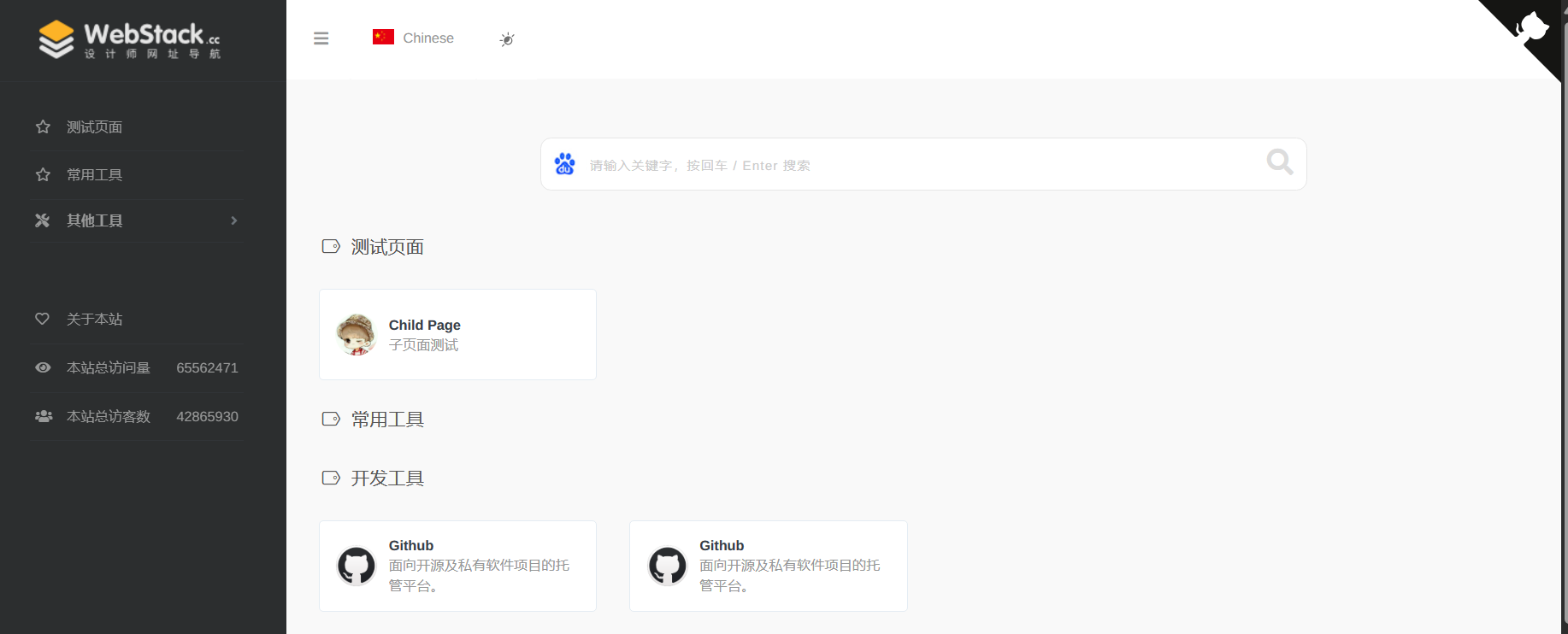
相关配置
网站图标
1 | favicon: /favicon.ico |
banner
1 | banner: /images/webstack_banner_cn.png |
网站 logo
- expanded: 侧边栏展开式左上角的 logo
- collapsed: 侧边栏收起式左上角的 logo
- dark: 顶栏为暗色时左上角的 logo, 仅 about 页面生效
1 | logo: |
flag 语言标识
- icon: 语言图标,默认仅有flag-cn和flag-us, 其他图标自行寻找存放于主题目录/source/images/flags/
- name: 语言名称
- default: 该语言是否为默认语言
- index: 页面链接
1 | flag: |
search 是否显示搜索框。
1 | search: true |
userDefinedSearchData 自定义搜索引擎。
- custom: 是否启用自定义配置
- thisSearch: 当前搜索引擎的搜索链接
- thisSearchIcon: 当前搜索引擎的图标链接,格式为url(图片链接)
- hotStatus: 是否启用搜热词功能
- data: 多搜索引擎配置
- name: 搜索引擎名字 img: 搜索引擎的搜索链接 url: 搜索引擎的图标链接,格式为url(图片链接)
1 | userDefinedSearchData: |
githubCorner 右上角github 地址
- 可更改为自己的GitHub地址
since 建站年份
1 | since: 2020 |
menu 侧边栏菜单设置。
- name: 分组名
- icon: 分组图标
- config: 主要分组内容(详细设置查看Config),如果有二级菜单则不需要此项!
- submenu: 二级菜单,如果有二级菜单则不需要
config, 此选项内容包含name,icon,config选项
1 | menu: |
expandAll 是否将侧边栏全部展开。
1 | expandAll: true |
about 侧边栏的关于本站。
- url: 关于页面链接
- name: 在侧边栏显示的文字
- icon: 图标
1 | about: |
busuanzi 不蒜子统计。
- enable: 是否启用不蒜子统计
- position: 访问量显示位置, footer显示在页脚, sidebar显示在侧边栏
- pv: 访问量显示的内容, $pv会被替换为访问量
- uv: 访客数显示的内容, $uv会被替换为访客数
1 | busuanzi: |
config 网站内容设置。
- name: 网站名称
- url: 网站链接
- img: 网站图标
- description: 网站描述
1 | - name: lxshuai |
添加网站
- 在站点根目录/source/_data/(没有自行创建)内新建hotTools.yml文件,文件内容如下
- hotTools对应menu中设置的config值
1 | - name: 百度 |
- 在主题的_config.yml里添加
1 | - name: 百度 |
相关推荐





评论